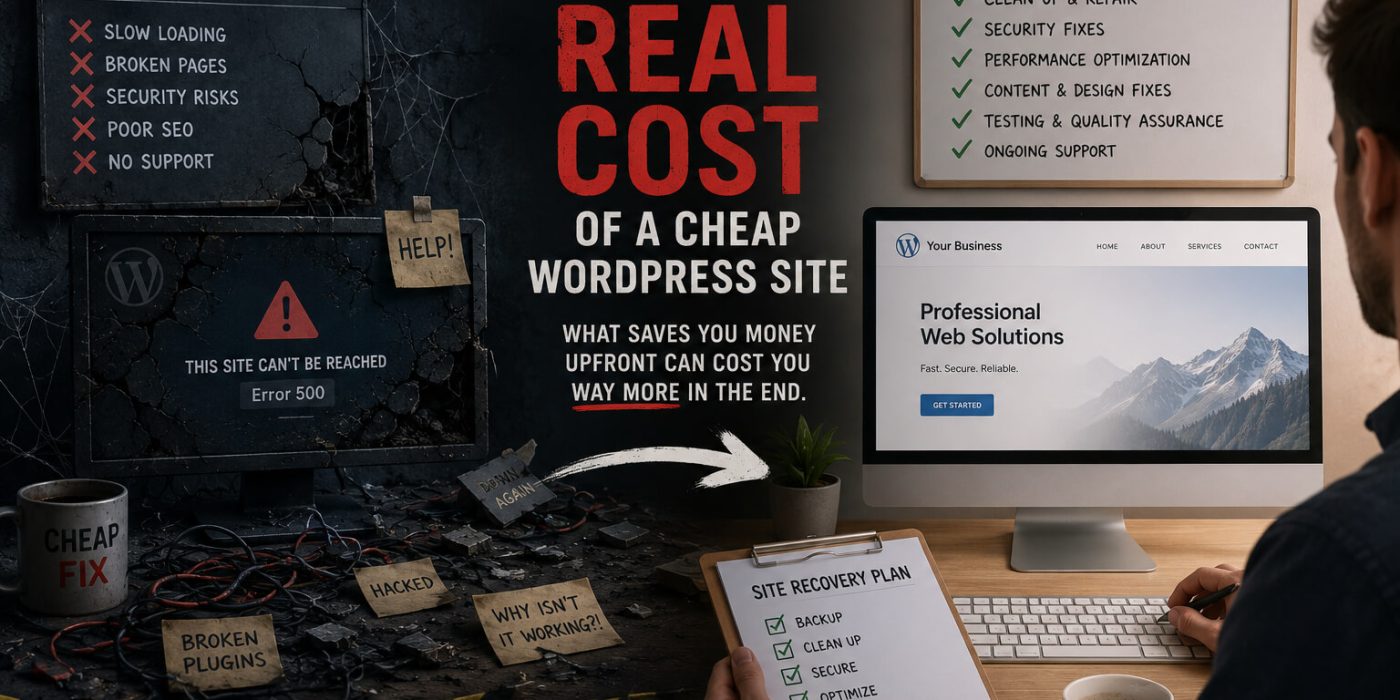
The cheapest WordPress site you can buy is free — a theme from the repository, a few plugins, some time on YouTube, and you have something that looks like a website. The next tier up is a few hundred dollars from a freelancer on Fiverr or a budget agency running templates at volume. Both options feel like wins until the hidden costs start surfacing.
This isn’t an argument against budget-conscious decisions. It’s an argument for understanding what you’re actually buying when you choose the lowest price — and what you’ll spend to compensate for it over the life of the site.
The Upfront Price Is Only Part of the Cost
The total cost of a website isn’t the build invoice. It’s the build invoice plus hosting plus maintenance plus emergency fixes plus the revenue you didn’t generate because the site wasn’t performing. Most people compare website quotes by the upfront number. The businesses that get the best value compare total cost of ownership over three to five years.
A $500 website that requires $300 in emergency fixes twice a year, runs on $8/month shared hosting that contributes to slow load times and lost rankings, and needs a full rebuild in two years because the template it was built on is abandoned costs significantly more over three years than a $3,500 custom build on managed hosting with a proper maintenance plan. The math isn’t intuitive when you’re looking at the initial quote, but it becomes obvious when you add it up.
What Cheap Usually Means in Practice
Budget WordPress sites share predictable characteristics — not because the developers are incompetent, but because the price point demands shortcuts that create problems later.
Template-based builds with no customization depth. A $500 site is almost certainly a premium theme with your content dropped in and your logo swapped out. That theme was built to look good in screenshots and sell to thousands of customers. It wasn’t built for your specific business, your specific audience, or your specific performance requirements. It loads everything the theme creator thought might be useful, whether your site needs it or not.
Plugins for everything. Budget builds compensate for lack of custom development with plugins. Need a feature? There’s a plugin. Need another feature? Another plugin. A site built this way can easily accumulate 30 to 40 active plugins, each adding code to every page load, each representing a potential conflict, security vulnerability, or compatibility issue when WordPress updates.
Shared hosting as an afterthought. Budget sites are frequently delivered on the cheapest hosting the developer could find — sometimes included as a loss leader to win the project. Shared hosting puts your site on a server with hundreds of others competing for the same resources. The performance ceiling is low and no amount of optimization fully compensates for it.
No documentation, no handoff process. When a budget developer finishes, they move to the next project. There’s no documentation of what was built, no explanation of how to maintain it, no transition process. You have a website and a vague sense of how to log in to it.
The Emergency Fix Economy
Cheap WordPress sites generate emergency fix revenue for developers. Not through any dishonesty — simply because the choices made to keep the initial cost low create a site that breaks more often and is harder to fix when it does.
A site built on an abandoned premium theme with 35 plugins and no maintenance plan will eventually have a WordPress core update that conflicts with a plugin, or a plugin update that conflicts with the theme, or a PHP version change from the host that breaks something built against an older version. These aren’t hypothetical — they’re the normal lifecycle of a neglected site built without an eye toward maintainability.
Each emergency fix costs between $150 and $500 depending on severity. Two emergencies a year over three years is $900 to $3,000 in reactive spending — on top of the original build cost — for problems that are largely predictable and largely preventable.
The Performance Tax
A slow site costs money in ways that don’t appear on any invoice. Google uses page speed as a ranking factor — a slow site ranks lower than a fast competitor with equivalent content. Lower rankings mean fewer visitors. Fewer visitors mean fewer leads or sales. That revenue gap is real and ongoing, but it never shows up as a line item.
Conversion rate research consistently shows that every additional second of load time reduces conversions by a meaningful percentage. A site that loads in two seconds converts better than the same site loading in four seconds. A bloated template on shared hosting frequently loads in four or more seconds on mobile. The revenue impact of that gap compounds every day the site is live.
This is the cost of a cheap WordPress site that nobody puts in the proposal — the ongoing, invisible tax on your business performance from a site that isn’t built to perform.
What You Should Actually Be Comparing
When evaluating WordPress site quotes, the questions worth asking aren’t about the upfront price. They’re about total cost of ownership and expected performance.
Ask what the site will be built on — a custom theme or a premium template, and why. Ask what the plugin strategy is — which plugins, why each one, and what the update and maintenance plan looks like. Ask about the hosting recommendation and why it’s appropriate for your site’s traffic and performance requirements. Ask what the handoff process includes — documentation, training, and what happens if something breaks in the first 90 days.
A developer who can answer all of these clearly is thinking about the long-term health of the site, not just delivering something that looks good at launch. That developer’s quote may be higher. It will almost certainly be cheaper over the life of the site.
The Version of This That Goes Well
None of this means you need to spend a fortune on a website. It means spending what you spend deliberately, with a clear understanding of what you’re getting and what you’re not.
A modest site built cleanly on a maintained theme or a simple custom build, on appropriate hosting, with a basic maintenance plan and a clear handoff process, will outperform and outlast a cheap site of equivalent initial cost every time. The difference isn’t how much you spend. It’s whether what you spend is allocated to things that affect long-term performance rather than things that look impressive at launch.
If you’re looking at your current site and recognizing some of what’s described here, a site audit is the right first step — an honest assessment of what you have, what it’s costing you in hidden ways, and whether fixing it or replacing it is the better path forward. Get in touch and we’ll tell you straight.